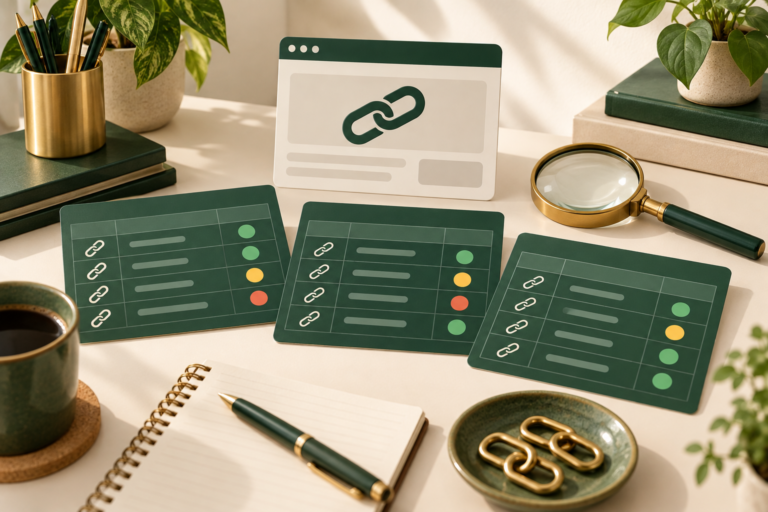
How to Build an Affiliate Resource Page That Helps Readers Choose
An affiliate resource page should help a reader choose the next useful tool, not display every program a publisher has joined. A crowded directory creates more decisions without necessarily providing more guidance. A carefully scoped page explains the job each resource supports, what to check before committing, and when an alternative or an existing tool is enough.
This guide shows how to build an affiliate resource page for a small business or creator website. You will define one audience, organize resources around practical tasks, write transparent entries, preserve tracked links, connect the page to supporting articles, and create a maintenance routine. The aim is a reliable decision aid, not a promise of passive income or guaranteed conversions.
Disclosure: This article contains affiliate links. If you purchase through these links, EcomArenaHub may earn a commission at no extra cost to you. Check current features, pricing, renewal terms, and eligibility with each provider before buying.
Start With One Reader and One Working Situation
Write a sentence describing who the resource page serves and what they are trying to complete. For example: “This page helps solo business owners publish a simple website and create useful educational content.” That is narrow enough to guide selection without requiring a different page for every software category.
List the reader’s likely constraints: available time, budget, technical confidence, preferred formats, and existing tools. A beginner with a working website may need a clearer production process rather than a new hosting provider. An experienced editor may need a licensing check rather than another editing subscription. The resource page should make those distinctions visible.
Before adding offers, identify three to five tasks the reader repeats. Examples include maintaining a domain, designing reusable graphics, assembling explanatory videos, reviewing published content, and protecting account access. If the page requires fifteen unrelated sections, split its scope rather than adding more headings.
Use the reasoning in EcomArena’s guide to choosing a sustainable affiliate marketing niche to keep audience fit ahead of commercial opportunity. A high commission does not make a resource relevant to this reader.
Build a Selection Sheet Before Building the Page
Create a private sheet with one row for each candidate. Record the task, official product page, approved affiliate URL, evidence reviewed, access or testing status, important limitations, alternatives, and review date. Keep the commercial tracking field separate from the evidence field so a working link is never mistaken for proof of product quality.
Apply four inclusion questions. Does the resource solve a task within the page’s scope? Can you explain its practical role without repeating marketing copy? Can the reader check important terms before purchase? Can you maintain the entry as the product changes? Exclude a resource when the answer to any question is no.
Then give each candidate a status: include, investigate, or exclude. “Investigate” is useful because it prevents a rushed entry from reaching the public page merely to fill a section. Document why you excluded overlapping tools. That record makes future decisions easier when another affiliate offer arrives.
Do not claim hands-on experience unless you actually have it. A researched entry can say what official documentation describes and what the reader should evaluate. A tested entry can explain the specific task, conditions, and observed result. These are different evidence levels and should not be blended.
Organize by Tasks Instead of Brand Names
Readers arrive with a problem, not necessarily a preferred vendor. Use headings such as “Publish and maintain your website,” “Create consistent visual assets,” and “Explain a process with video.” Under each heading, state what a satisfactory outcome looks like before introducing any resource.
For website setup, the outcome might be a domain the business controls, clear renewal costs, reliable account recovery, and an appropriate hosting arrangement. You can review Namecheap’s domain and hosting options when that task is relevant. Compare the current terms with the reader’s existing provider rather than implying that moving is automatically an improvement.
For reusable visuals, the outcome is a small set of readable assets that can be exported, corrected, and consistently reused. One option is to explore Kittl’s design tools for reusable graphics. Before recommending a plan, check export requirements, asset licensing, editing needs, and whether a simpler existing tool already meets the brief.
For explanatory video, the outcome is a clear demonstration that answers a real audience question. You can evaluate InVideo’s video-creation features against the intended workflow. Review available editing controls and output requirements on the provider’s current pages; do not assume generated content is accurate or publication-ready.
These three examples belong together because they support a defined publishing workflow. They would not automatically belong on a resource page about supplier procurement or personal finance. Relevance comes from the page’s task, not from how many affiliates the website has approved.
Use a Consistent Entry Template
Each public entry should answer the same small set of questions. Consistency reduces comparison effort and makes gaps easier to spot during review. Start with a short description in plain language, then explain the task fit, evaluation criteria, limitations, and next step.
- Resource and role: what it is and which task it supports.
- Consider it when: the situation that makes evaluation worthwhile.
- Check before choosing: the terms or capabilities that could change the decision.
- You may not need it when: a clear reason to keep an existing solution.
- Evidence and review: what was researched or tested, and when.
- Next step: a descriptive link or a supporting tutorial.
A useful limitation is specific. “Check whether your required export format is included in the plan” is stronger than “Some limitations apply.” If you cannot verify a detail, omit the claim and point readers to the controlling terms. Avoid badges such as “best overall” unless the page explains the comparison method and the alternatives assessed.
For deeper evaluation, connect the entry to a full guide using EcomArena’s approach to writing product reviews that build trust. The resource page should summarize a decision, not pretend to replace every product review.
Make the Commercial Relationship Clear
Put a plain-language affiliate disclosure before readers encounter commercial recommendations. Explain the possibility of commission directly. Do not depend on a footer link or assume visitors know how the website earns revenue. Make sure the disclosure remains easy to see on a phone.
For U.S.-facing endorsements, the FTC’s disclosure guidance emphasizes making material relationships understandable and difficult to miss. Its guidance also cautions against describing experiences with products you have not tried. Requirements vary by context and jurisdiction; obtain appropriate advice when your situation needs a legal assessment.
Keep recommendations separate from compensation. A free resource, an existing tool, or doing nothing may be the suitable next step. Including those choices helps the page serve the reader instead of forcing a purchase into every section. Do not describe an affiliate offer as a discount unless the exact offer is verified and available to the intended visitor.
Preserve Tracked Links and Test the Journey
Copy approved tracked URLs from your verified program records. Do not shorten, reconstruct, or remove identifiers simply to make them look cleaner. Encode HTML safely without changing the underlying destination. Use descriptive link text that states the provider or evaluation task rather than a row of identical “click here” buttons.
Test each affiliate link from the published page. Record the starting URL, final provider destination, response, and any region or sign-in limitation. A redirect may be normal; a missing page, unrelated landing page, or unavailable offer needs investigation. A successful response alone does not prove that the advertised terms are still accurate.
Check internal links as carefully. A visitor reading about visual assets should reach the relevant supporting guide, not a generic homepage. EcomArena’s affiliate content update checklist provides a broader process for reviewing tracked destinations, claims, and recommendation logic together.
Add Search Value Without Manufacturing a Directory
Choose a title that describes the audience and task, such as “Website and Content Resources for Solo Business Owners.” Use a concise introduction, descriptive headings, and a short page summary. Mention the natural topic where it helps comprehension, but do not repeat the same keyword in every entry.
The value must come from your selection method, practical distinctions, limitations, and supporting explanations. Google’s spam policies on thin affiliation distinguish useful affiliate content from pages that reproduce merchant material without meaningful added value. A resource page is not an SEO shortcut, and a particular structure does not guarantee rankings.
Keep the layout simple: a short task index followed by sections and readable entries. Avoid a wide comparison table when the content cannot be understood on mobile. Use images only when they explain something; decorative screenshots can increase maintenance without improving a decision.
Give the Page an Owner and a Review Schedule
Assign one person responsibility for the page even if several people contribute. Record the next review date in the private sheet. Check high-change entries more frequently, and trigger an immediate review when a program changes, a reader reports a broken link, or a recommendation’s evidence becomes outdated.
During review, confirm the product role, tracked URL, current official information, disclosure visibility, internal navigation, and mobile presentation. Remove resources that no longer fit. Do not add a newer date unless the content has actually been checked. Keep a brief change log explaining meaningful additions, removals, and corrected claims.
A simple file system helps preserve source notes and approved copy. Use EcomArena’s guide to naming content files and controlling versions so an old draft does not accidentally replace the maintained page.
Measure Usefulness Before Expanding
Track visits, internal tutorial clicks, outbound clicks, reported link problems, and reader questions where suitable measurement is available. Review which tasks attract interest, not only which brand receives clicks. Respect applicable consent and privacy requirements when implementing analytics.
A higher click count does not establish that readers chose well, and low traffic does not justify filling the page with more offers. Look for unclear descriptions, mismatched audience intent, missing alternatives, or a confusing mobile layout. Change one meaningful element and record the outcome before redesigning the entire directory.
Your First Resource Page Checklist
Start with one audience, three tasks, and a few resources you can honestly explain. Create the private selection sheet, write consistent entries, disclose commercial relationships, preserve approved tracking, connect supporting guides, and test the published journey. Set an owner and a review date before distributing the page.
A useful affiliate resource page remains small enough to maintain and specific enough to guide a decision. Its strongest feature is not the number of tools listed. It is the clarity that helps readers understand what they need, what to verify, and when they can confidently keep the tools they already have.